AI Auto-Sync
A full-song, editable lyric timeline from your own audio and lyrics.
LyricTap for iPhone + iPad
Make timed lyrics for your own music. Use the free browser studio for manual LRC and SRT timing, or get LyricTap on iPhone and iPad for paid AI Auto-Sync and lyric video creation. Supports English, Japanese, and Chinese songs.
Built for iPhone and iPad
Use manual syncing, or use paid AI Auto-Sync to build a full editable timeline and separate vocals from the instrumental in the same task.
●Download on theApp StoreA full-song, editable lyric timeline from your own audio and lyrics.
Turn synced lyrics into portrait or landscape videos with editable styles.
Adjust every timestamp, then export LRC, SRT or TXT for English, Japanese, and Chinese songs.
PUBLISHED APP STORE SCREENSHOTS
These are LyricTap’s published App Store screenshots. Manual karaoke timing is separate from AI line syncing. Lyric video export follows a completed full AI sync.
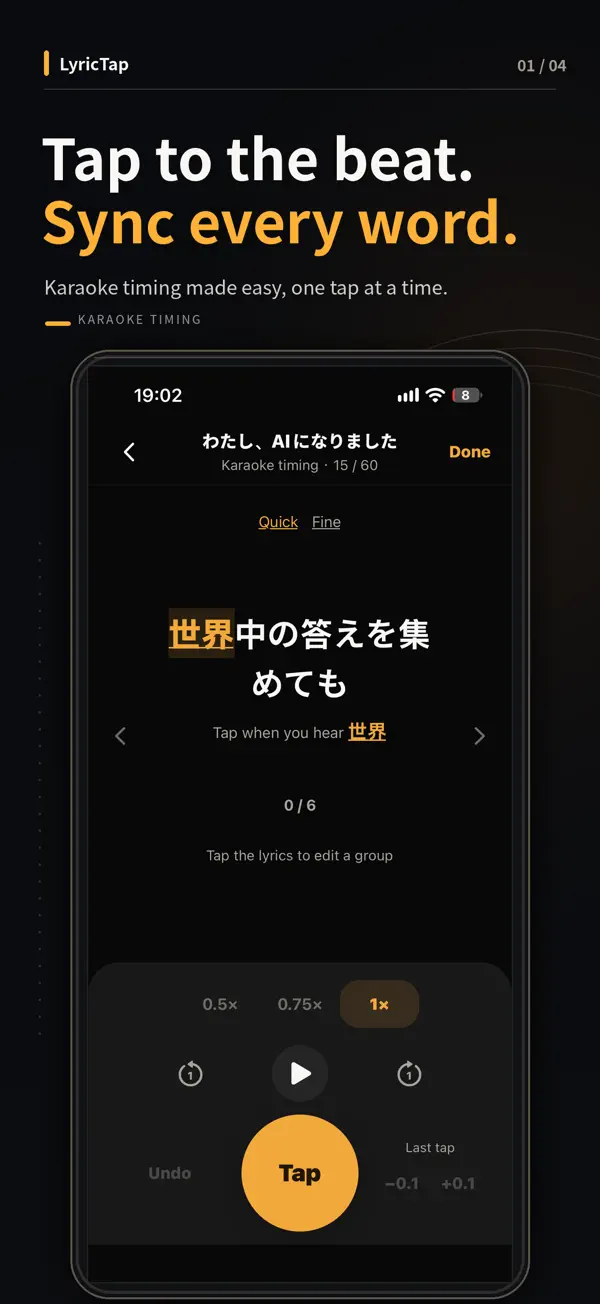
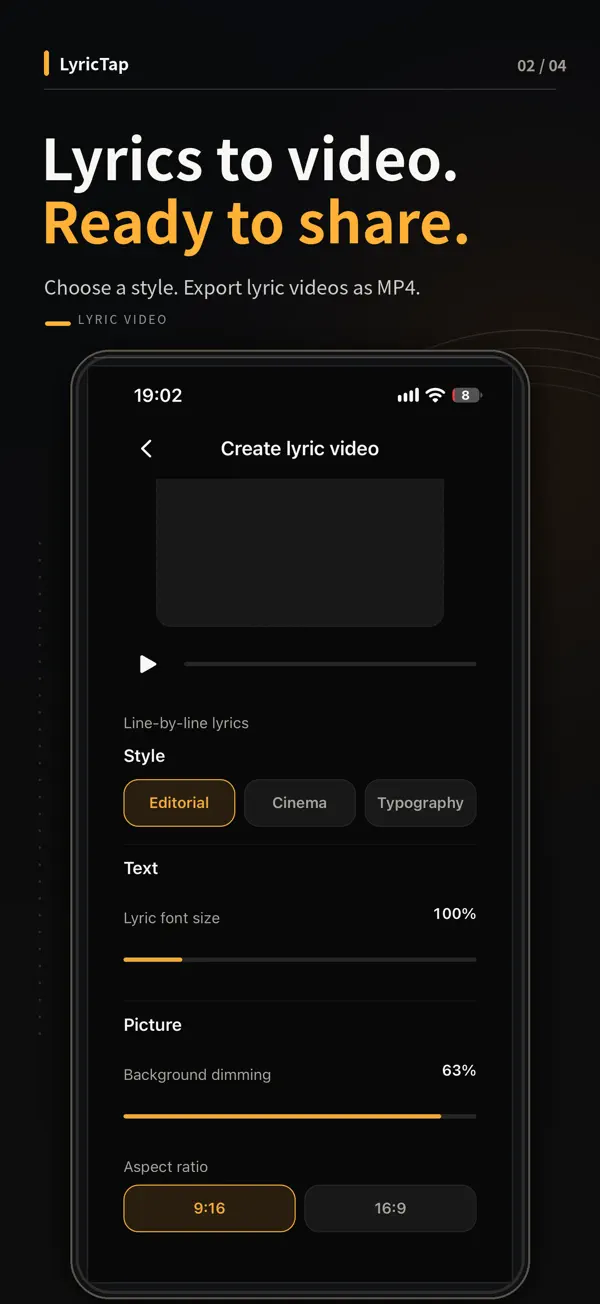
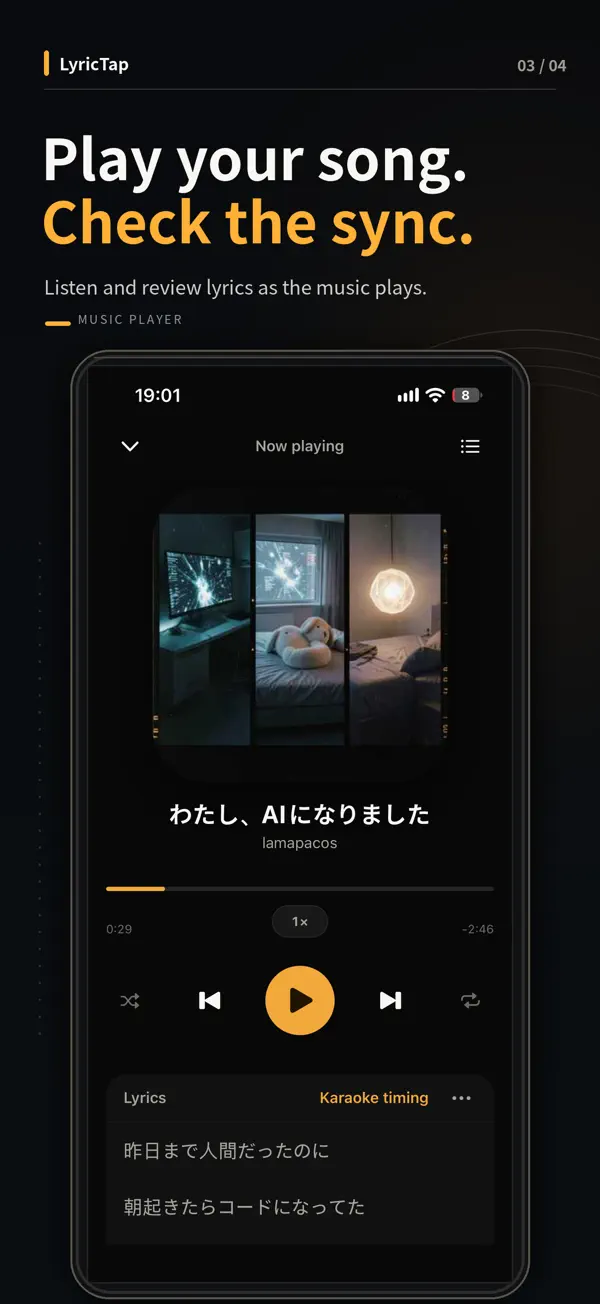
Lyric video creation in the current iOS app requires a completed full AI Auto-Sync song and your own background image. AI provides line timing; word or group karaoke timings are created manually for ASS / Enhanced LRC export.
1. Choose audio. 2. Paste one lyric line per row. 3. Play and tap each line, or press Space outside input fields. Edit timestamps as mm:ss.xx; Ctrl/Cmd+Z undoes timeline changes. SRT end times are estimated—review them in your video editor.
Midnight moving through the glass
Every streetlight turns to gold
I can hear the seconds passing
Still the night is ours to hold
CHOOSE YOUR WORKFLOW
Manual line timing, editable timestamps and LRC, SRT or TXT downloads. No account. Audio stays on your device. Browser progress can be restored on the same device.
Start the free studio →The app is free to download. AI Auto-Sync uses paid credits and cloud processing with your consent. Review the editable timeline and create portrait or landscape lyric videos in the app. Check the App Store for current pricing and availability.
Explore the iOS app →Three moves. One clean timeline.
Choose audio from your device, including Suno exports and previously saved audio you are permitted to use. Udio currently reports downloads disabled. No official integration is required.
Play the track and press Space. Nudge any timestamp by 0.1 seconds.
Save LRC, SRT or TXT, or use the app’s video tools to create a lyric video.
FREE TOOLS AND RESOURCES
Practical steps for making timed lyrics—not just a product description.
See the timestamp format, create your own synced lyrics, and export them.
Open LRC maker →02 · WORKFLOWFrom exported song audio to timestamped lines—without platform integrations.
Read guide →03 · VIDEOUnderstand portrait, landscape and subtitle workflows.
Read guide →04 · SUBTITLESExport timed subtitles for your video editing workflow.
Read guide →Browse all guides → · 中文 · 日本語
Quick answers
LyricTap is an iPhone and iPad lyric sync app for creating timed lyrics, exporting LRC and SRT files, and making lyric videos.
The browser studio is free, runs locally, and requires no account. AI Auto-Sync in the iOS app uses paid credits. Check the App Store for current app pricing and availability.
LyricTap can sync lyrics manually as you tap each line, or use AI Auto-Sync to create a full editable first-pass timeline from your audio and lyrics.
LyricTap exports LRC files for synchronized lyrics, SRT files for video editors, and plain TXT lyrics.
Yes. LyricTap turns synced lyrics into portrait or landscape lyric videos using the available visual styles.
LyricTap supports lyric syncing for English, Japanese, and Chinese songs.
LyricTap can open supported local audio that you are permitted to use, including previously exported tracks. It cannot import a Suno or Udio account link. Udio currently reports downloads disabled; check its current policy. LyricTap is not affiliated with or endorsed by either service.
No. The free browser studio processes audio and lyric timing locally on your device and does not upload the selected song.